

The Optimajet team and I are proud of the work behind this launch. Since 2014, .NET teams have built Workflow Engine into CRM, ERP and HR systems, and into software that manages documents. Over those years, four products grew around the engine, and it was not always easy to see which one you needed. This launch fixes that. For .NET developers and teams, the product line is now more useful and easier to work with. The engine your applications run has not changed.
Thank you to every team that uses our products and tells us which features matter most to them and what they need next. We are especially grateful to Acer, AMCS Group, Avery Dennison, Conduent, Consolsys, DigiNation, Elm Company, EY (formerly Ernst & Young), Fiserv, Ideagen EHS (formerly ProcessMAP), Indra, KARL STORZ, Leah (formerly ContractPodAi), Ncontracts and Novartis. Their feedback shapes the features we build, and it makes each proof of concept with a new customer better. We could not have improved these products without them.
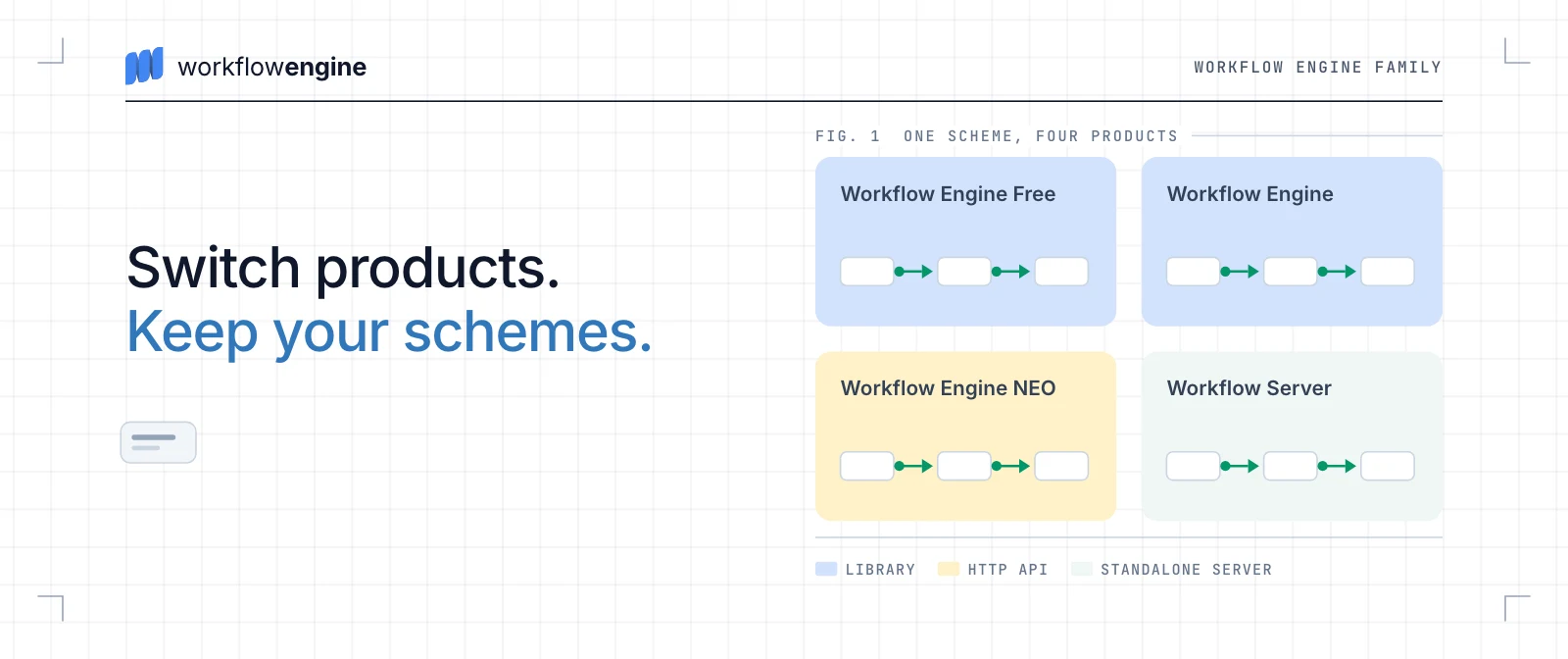
The four products share one workflow engine, and the schemes that describe your processes carry over when you switch between them. A new website went live on September 22, 2026, together with new documentation, and both are built to help you choose. Workflow Engine NEO is the flagship, built for teams whose workflows are part of the product they sell.
One workflow engine for every .NET scenario
The four products run the same engine in three ways. They differ in where it runs, how your application calls it and what the license includes.
- As an embeddable library. Workflow Engine Free and Workflow Engine run inside your .NET application, and you call them from C#. They use the same NuGet packages. Workflow Engine Free is for personal use and internal commercial use with attribution, and it needs no license key. It allows 10 workflow definitions (schemes) and 4 execution threads, the number of processes the engine advances at the same time. Workflow Engine is licensed for internal commercial applications, in two editions, Team and Complete.
- As an HTTP API. Workflow Engine NEO, the flagship, is a separate product based on Workflow Engine. It adds the Data API and RPC API groups of Workflow Engine HTTP API and ready multitenancy to your application. A web front end, a mobile app or another service can then drive your processes.
- As a standalone server. Workflow Server is a separate service you run in Docker. Any language can call it over HTTP.
All four run on your own infrastructure, and none of them is a hosted Optimajet service. The embeddable products keep process data in your database: SQL Server, PostgreSQL, MySQL, Oracle, MongoDB or SQLite.
Workflow Engine NEO is the flagship
Workflow Engine NEO is a separate product in the Workflow Engine Family. It is based on Workflow Engine, but it is not an edition of Workflow Engine. Its editions are Subscription, Business, SaaS and Enterprise. It is built for teams whose workflows are part of the product they sell. Typical products are a CRM, an ERP, an HR system or a document management platform.
- Data API and RPC API. The OptimaJet.Workflow.Api package adds Workflow Engine HTTP API to your ASP.NET Core application. Without a NEO key it serves the Designer API and the Health Check API. With one, it also serves the Data API and the RPC API. The Data API reads and changes schemes, process instances, parameters, timers and approvals, with search, filtering and paging. The RPC API runs the engine, for example to create a process instance, execute a command or list the commands available now.
- Multitenancy. One deployment serves many customers. The HTTP API applies the tenant to every built-in operation. Each tenant can live in shared storage, its own database or its own database schema, and one deployment can mix all three. In Workflow Engine, your code builds that isolation around a tenant ID.
- Security. The HTTP API uses your application's ASP.NET Core authentication, such as JWT bearer tokens or cookies. Each operation has its own
OperationId, andIWorkflowApiPermissionsdecides who may call it. The tenant header only selects the tenant. Whether the caller may use that tenant is a separate permission check, which you enable with API security. Your own endpoints stay your responsibility. - Scale. Every edition of Workflow Engine NEO runs on multiple servers. In Workflow Engine, multi-server needs the Complete edition, and Team runs on one server.
- Workflow Forms for human tasks. Every edition of Workflow Engine NEO includes the Forms Plugin, installed as the Workflow
Engine .NET Core-Forms Plugin package. In Workflow Engine it is an add-on for Complete and is not available on Team. It binds a form to a workflow step and shows each person only the forms whose commands they may run. Submitting a form runs that command, and the workflow's restrictions are checked again. A tenant can have its own version of a form, with the shared one as the fallback. - Forms from Form Engine. The Forms Plugin integrates Form Engine, Optimajet's separate form product family. Form Engine Core renders the forms under the MIT license, and Form Engine Designer lets an analyst lay out a form without a frontend ticket. Workflow Engine NEO Enterprise includes the Form Engine Enterprise license, which covers the Designer, with OEM rights. On the other editions, that license is priced separately.
- The right to ship. The Subscription and SaaS editions cover a public web app or SaaS, and the Enterprise edition adds OEM distribution. The pricing page states the licensed use of every edition.
In our comparison with Elsa Workflows, Workflow Engine NEO supplied the commands, permission checks, inbox and forms for one approval process. Elsa needed an external task-and-forms layer for the same process.
To evaluate Workflow Engine NEO, request a 30-day trial key. The key enables its licensed capabilities. Your team can then run the Data API, the RPC API and multitenancy on a process of its own before you buy. A one-hour demo walks through your case with us. For more depth, read Data API or RPC API, which one your caller needs and dynamic tenant registration in NEO 22.0.0.
One scheme runs in all four products
A scheme is the workflow definition you draw in Workflow Designer or build in C#. It runs in all four products, and schemes written for older versions still run on the current release. That is what makes the four products one family, and it makes the choice above safe to make early. Scheme compatibility is separate from upgrading the application. The runtime, the packages and the database follow the release notes, and 22.0.0, for example, required database migrations.
- From Workflow Engine Free to Workflow Engine, you register a license key. The packages stay the same, and the key lifts the limits.
- From Workflow Engine to Workflow Engine NEO, the switch itself is a license key. The existing application and its schemes keep running as they are, on the same version. Using the Data API, the RPC API and multitenancy is planned work. You add the packages, configure authentication and tenants, and write the code that calls them.
- Workflow Server runs as a separate service, so moving to it changes how you deploy. Your schemes still carry over.
Source access and vendor lock-in
The first objection to a commercial engine is lock-in, because your product depends on code you cannot see. Three of the four products answer it. Workflow Engine, Workflow Engine NEO and Workflow Server are source-available, under a commercial EULA, and Workflow Engine Free is the one product without source access.
For Workflow Engine and Workflow Engine NEO, source access is a one-year window on GitHub to the full engine source, as is, to read and review. It is included with Workflow Engine NEO Enterprise and is an add-on for Workflow Engine Complete, NEO Business and NEO SaaS. Team and NEO Subscription do not include it. Workflow Server includes its full source for one year with the Business Ultimate and Custom editions.
Source access is one of several guards against lock-in. Every edition of Workflow Engine and Workflow Engine NEO except NEO Subscription is a perpetual license, so the version you bought keeps running. A lapsed NEO Subscription falls back to the Workflow Engine Free limits. The engine runs on your infrastructure and keeps process data in your own database. Your schemes carry over between the four products, and there are no royalties or per-execution fees. The pricing page shows the source access, license model and support of every edition.
What changed, and what did not
What is new
- One product family, the Workflow Engine Family, and one comparison page for its four products.
- A new website at workflowengine.io, with a page for each product and public prices for Workflow Engine and Workflow Engine NEO.
- New documentation at docs.workflowengine.io, which starts with Evaluate and Get Started and defines every term in a Glossary.
- Clear lines between products and editions, including source-code access and what needs a paid edition or an add-on.
- A new name for the free product, Workflow Engine Free, formerly Community Edition.
What stays the same
- The NuGet packages and their names.
- The license keys you already have.
- Your schemes, including those written for older versions.
Compare the four products row by row
The comparison of Workflow Engine products is the page to open before any other. It sets all four side by side, one capability per row, from durable execution and Workflow Designer to APIs, databases, multitenancy, scaling and licensing. Where the answer depends on the edition or an add-on, the cell names it. The Forms Plugin row, for example, reads "Not available" for the Team edition and "Add-on" for Complete. Every edition of Workflow Engine NEO includes it.
Row names link to the pages that document each capability, and the common questions are answered below the table. The same matrix is published as Markdown at workflowengine.io/
Why we rebuilt the site and the documentation
As the family grew, the old site no longer matched the way customers evaluate our products. Workflow Engine NEO had no page of its own, and the prices were on optimajet.com, a different site. The free product's old name also read like an edition of the paid library.
The new site starts from the choice. The comparison page answers what each product includes, the pricing page what it costs, and the documentation how it works.
The documentation starts one step earlier too, with Evaluate for the choice and Get Started for a first running process in about 15 minutes. The Glossary defines each product, edition and term once.
The new documentation is marked as a preview while its last pages are written, and both documentation hosts are official. The previous documentation still holds the release notes, the setup and security of the HTTP API, and the BPMN and database reference tables.
Where each answer lives
- Workflow Engine pricing gives the price, license model, licensed use, limits, source-code access and support of every edition of Workflow Engine and Workflow Engine NEO. Every price is public except Workflow Engine NEO Enterprise, which we quote per project.
- Enterprise support and security covers self-hosting inside your perimeter, security questionnaires and support plans with a committed response time. Tickets go to the engineers who own the codebase.
- Workflow Engine features lists every feature in the documentation's catalog, each with one sentence and a link. Full pages with code and limits cover Workflow Designer, BPMN support, multi-tenant workflow architecture, Workflow Forms, database providers, the plugin system and LDAP and Active Directory authorization.
- Workflow Designer also has pages for Blazor, JavaScript and React. The code on them ran on version 22.1.0. Each page has a prompt you can paste into Cursor, Claude Code or Copilot. The agent reads the page as Markdown before it changes your app.
- Elsa Workflows vs Workflow Engine NEO builds the same approval process in both engines and says where each one fits.
- How ProcessMAP runs EHS workflows on Workflow Engine shows the engine inside a commercial SaaS platform for environment, health and safety.
Written for AI assistants as well
You may ask an AI assistant about a library before you open its website, so the site gives that assistant pages it can read. The llms.txt file is a short map of workflowengine.io for AI tools, and llms-full.txt is the full product reference in one file. Both point an assistant to the Markdown copies of the comparison page, the pricing page, the Workflow Designer guides and the Elsa comparison. Every post in our blog has a Markdown copy and a Copy page button. Each documentation page can be copied as Markdown or opened in ChatGPT or Claude.
A coding agent can also request a 30-day trial key for you through trial.workflowengine.io/llms.txt. The request carries your business email and company name, so the agent should ask you first.
If something you used on the old site is missing, tell us in GitHub Discussions.