
Introduction
Microservice architecture is companies’ architecture of choice these days. Its advantages are simplicity, scalability and flexibility. Our clients asked us many times how to quickly integrate Workflow Engine into their architecture. Now we have a special product for such scenarios, Workflow Server. Workflow Server is a standalone server which fits the microservice architecture perfectly.
Capabilities
We tried to make Workflow Server as lightweight and simple as possible, yet, with a wide range of capabilities. Key capabilities of Workflow Server are:
- Workflow processing
- Determining a form by workflow state and current user role
- HTTP API integration
- Reports
Workflow features are:
- Workflow scheme versioning
- Changing the scheme process in real-time
- Inbox/outbox folders
- Process execution simulation
Architecture
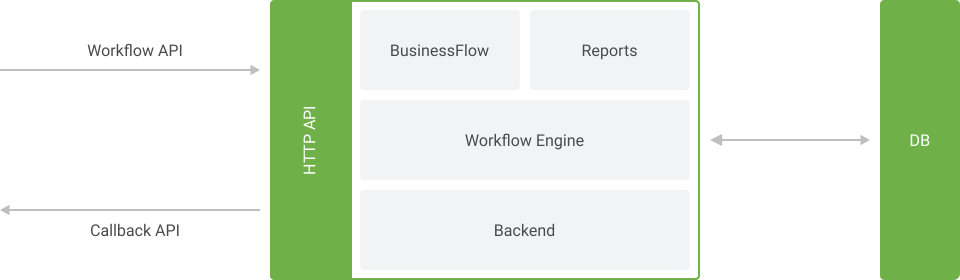
Workflow Server is based on Workflow Engine and has an HTTP API, a backend for an administrator and a set of reports. The architecture of the product is depicted below. When developing Workflow Server, we were guided by the generally accepted rules of building program products.
| № | Module | Purpose |
|---|---|---|
| 1 | Workflow Engine | Responsible for workflow processing and has a graphic designer for workflow creation |
| 2 | BusinessFlow | Determines the current workflow form depending on the state and user role |
| 3 | HTTP API | External API module for integration with other applications |
| 4 | Backend | UI for administrators to create and modify schemes and manage workflow processes |
| 5 | Reports | Statistic reports on schemes and performance |
Workflow Server uses .NET Core, which provides for the support of multiple platforms. MS SQL Server or PostgreSQL are used to store data.
Integration
Workflow Server has a set of two APIs for integration:
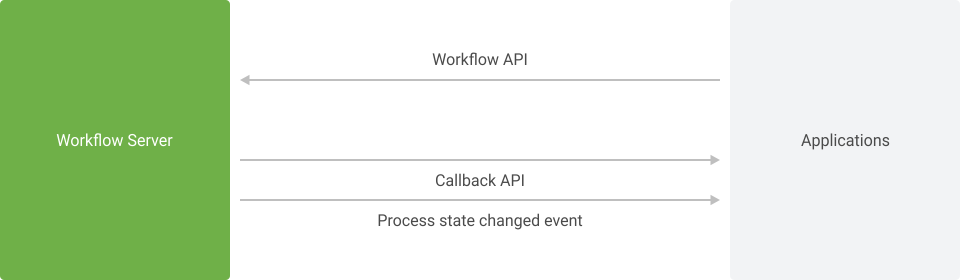
- Workflow API lets you create processes and set their states
- CallBack API lets you add actions and conditions to the workflow and get notifications on workflow state changes
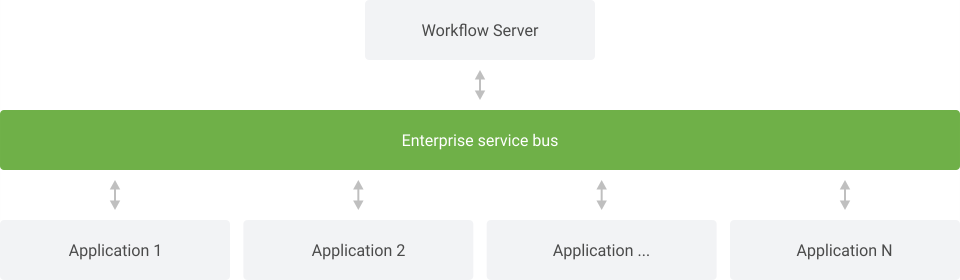
An example of integration of Workflow Server into a microservice architecture with and without an enterprise service bus is depicted below. Integration with enterprise service bus:
Integration without enterprise service bus:
Conclusion
It doesn’t matter which platform or programming language you’re using in your company: Workflow Server will fit perfectly into your microservice architecture, whereas a simple integration API will allow you to integrate it easily with other applications. Workflow Server supports configuration both with and without enterprise service bus.
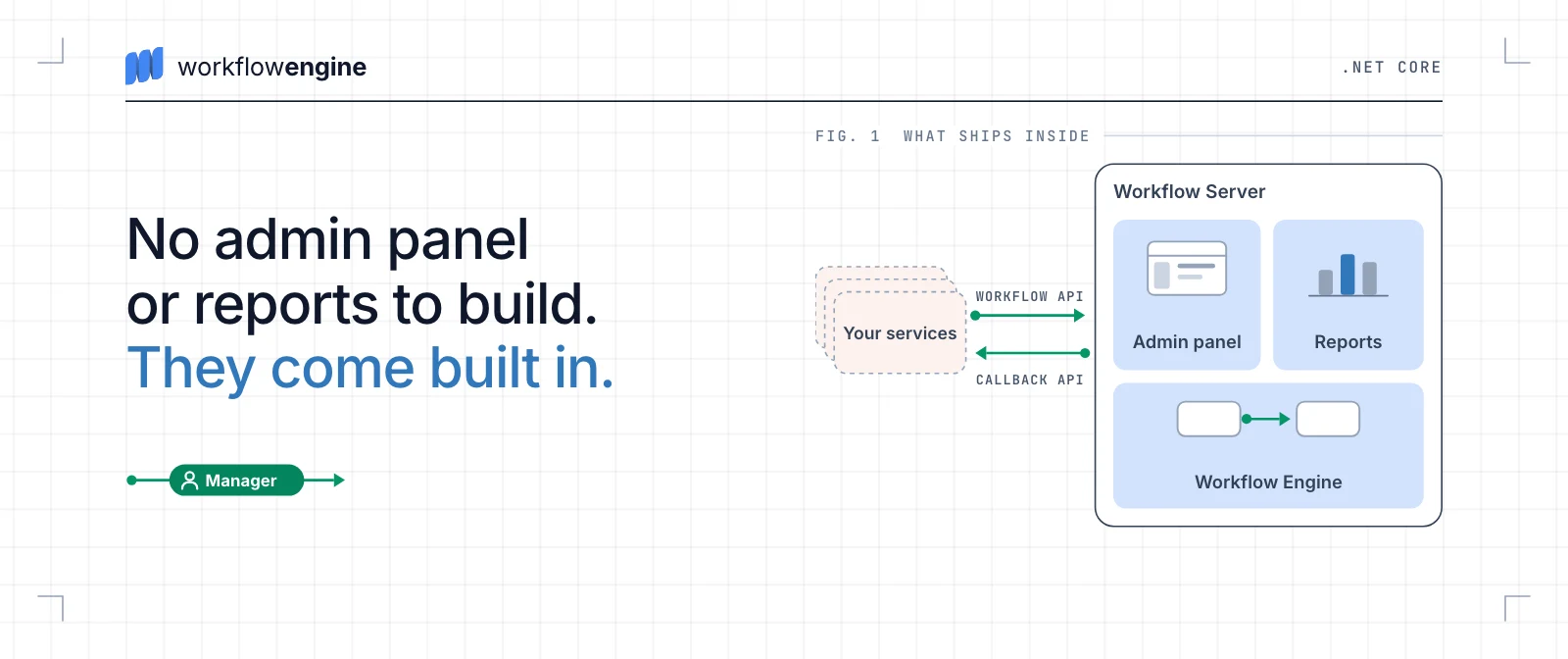
We’ve done everything to help our clients get started with our product quickly. You won’t need to develop an integration API, administration panel or reports yourself. Workflow Server comes with all the necessary components in-built.