# Integrate the Workflow Designer with Angular
Source: https://workflowengine.io/blog/workflow-designer-integration/
Site index for agents: https://workflowengine.io/llms.txt (products, licensing, documentation hosts, package names).
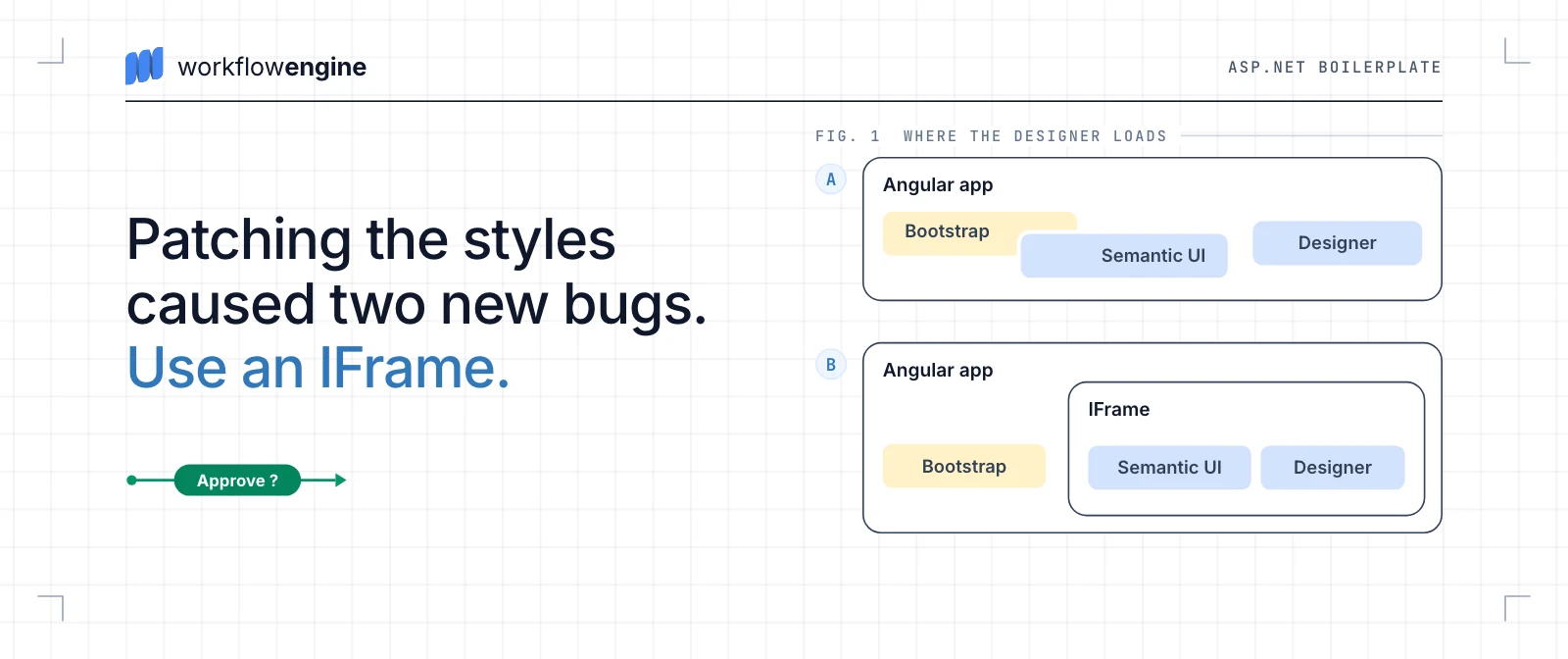
How to integrate the Workflow Designer into an Angular application built on ASP.NET Boilerplate, the general purpose framework that uses Bootstrap.
Optimajet Team · Published · February 8, 2019 · 2 minutes
---
## Introduction
Being a software developer I have noticed that the most difficult aspect of working with WorkflowDesigner is its integration into multi-framework projects, especially those using different CSS Frameworks (for ex. Bootstrap or Mechanical). That is why I have decided to try and clear some issues up and created an example of such integration. For my experiment I have chosen Angular-based ASP.NET Boilerplate, a general purpose application framework which uses both Bootstrap and Mechanical.
## Front-end Frameworks Compatibility Problems
Integration of different frameworks often causes Javascript global function and styling conflicts. Try integrating Semantic UI framework\* into ASP.NET Boilerplate and you'll know what I mean!
_\*WorkflowDesigner uses Semantic UI for dialog editing_
For more information on modal window problems see Screenshot 1. It turns out that some global functions are named equal in Bootstrap and Semantic UI which results in frameworks overlap and dialog and Z-index errors show up.
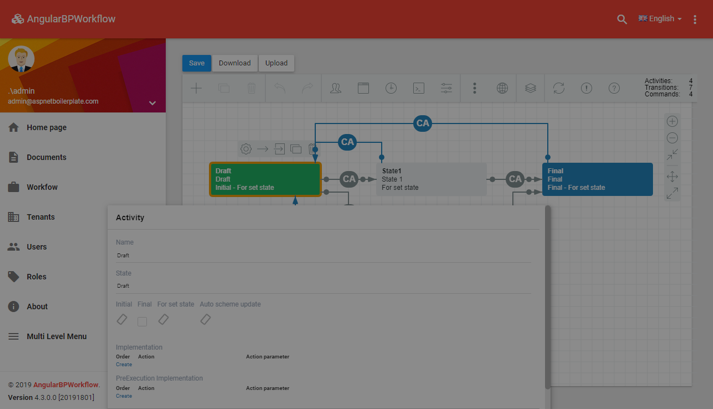
Scr. 1
I solved this problem quite easily by replacing styles (see Screenshot 2), but it in turn caused two more errors: incorrect checkbox appearance and page reload after clicking Create.
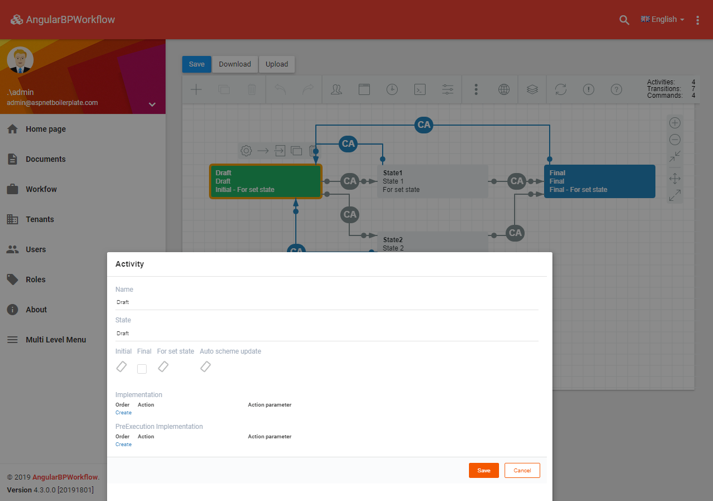
Scr. 2
These errors can also be debugged in a CSS, but further problems are still unavoidable. In such complex cases I suggest we should use IFrame integration.
## IFrame Integration
IFrame is a powerful element and if used wisely it can help insert website content even in most complicated situations. It also isolates JavaScript functions within itself.
First of all let's create a basic HTML-page in DIV, which will be used for WorkflowDesigner layout, and call it designer.html.
html
```html
Workflow Engine Designer
```
Next we shall embed IFrame code into our application, setting the src attribute to the path that goes to designer.html page.
html
```html
```
We have embedded styles and scripts and positioned the DIV over the frameset, and it's high time we initialized WorkflowDesigner. Mind that as the designer script was included into the frameset, the WorkflowDesigner variable will also be stored in the frame.
javascript
```javascript
var contentWindow = window.frames["designer"].contentWindow;
this.wfdesigner = new contentWindow["WorkflowDesigner"]({
name: 'simpledesigner',
apiurl: '',
renderTo: 'wfdesigner',
imagefolder: '/assets/workflow/images/',
graphwidth: this.contentWindow.innerWidth,
graphheight: this.contentWindow.innerHeight
});
this.wfdesigner.create();
```
Now there is no styling conflict and WorkflowDesigner is supposed to be displayed correctly. The JavaScript operation codes for WorkflowDesigner will be located on one of the pages of the main app. What's left to do is to write such basic functions as Load, Save, Resize, Download and Upload.
## Conclusion
In this article I have briefly described the problem-solving approach which is highly recommended if you want to avoid design difficulties when dealing with script and styling conflicts as a result of WorkflowDesigner integration into multi-framework projects. For more information see [the GitHub example](https://github.com/optimajet/WorkflowEngine.NET/tree/master/Other/AbpAngularSample/). All changes made to the original ASP.NET Boilerplate template have been tagged WorkflowEngineSampleCode, so you could track them easily.
## Sitemap
[Sitemap of workflowengine.io](https://workflowengine.io/sitemap.md): every page of the site, with the description each page carries.